Frequently Asked Questions — How to Ride METRO
On this page, you can get answers to common questions about riding METRO, all in one place. For details about fares and discount programs, visit our Fares FAQ page.
Getting Started
No, you don't need to set up an account to use the app.
However, you'll need to create an account if you want to set up a virtual RideMETRO Fare Card, pay your fare, check your rewards and more.
You can set up an account by opening the app and tapping on the "Fares" tab at the bottom of your screen. The next screen will prompt you to "Log In to Your Account" or "Create an Account."
Just create a virtual RideMETRO Fare Card inside the app and add at least $3 to get started.
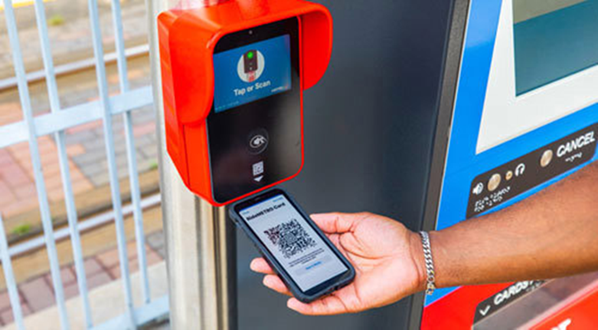
A QR code will then appear in the upper right-hand corner of your screen.

Scan the QR code approximately six inches below the validator found on METRORail platforms and onboard METRO vehicles.
Once you've created an account and logged in, select the "Fares" tab at the bottom of your screen. You’ll be prompted to create a free virtual RideMETRO Fare Card or convert an existing physical RideMETRO Fare Card to a virtual one.
Once you've converted a physical card, it can no longer be used.

 Google Chrome
 Safari Mac OS
 Mozilla
 Microsoft Edge